Factor agreement
See what agrees
Confidence measures how strongly current market conditions align with the engine's research-defined criteria. It is not a guaranteed outcome or win probability.
Ciphora Confluence Engine
Explore market conditions, see what agrees, and review key levels in one consistent workflow. Ciphora is in private research beta. You remain in control of every trade.
The workspace
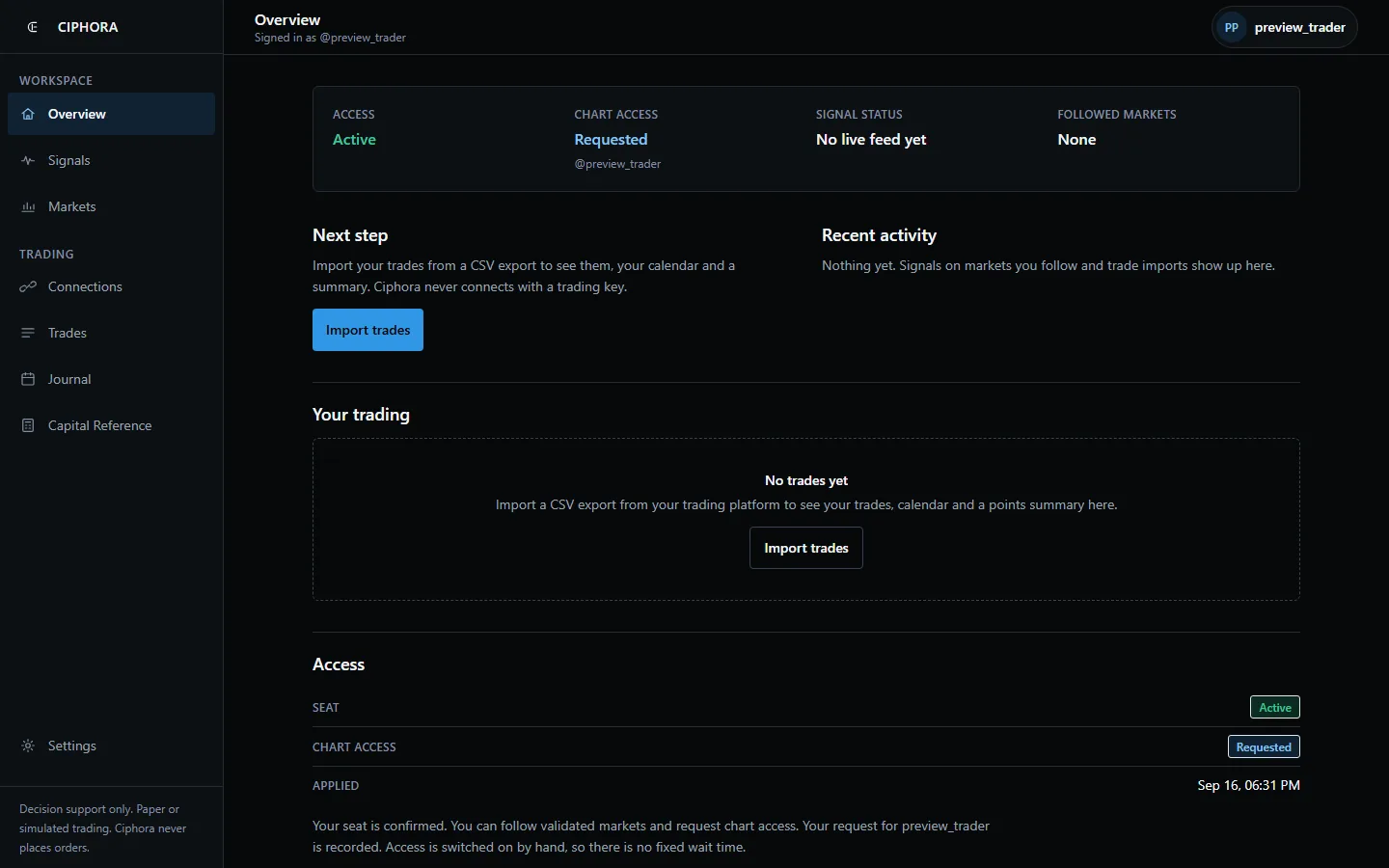
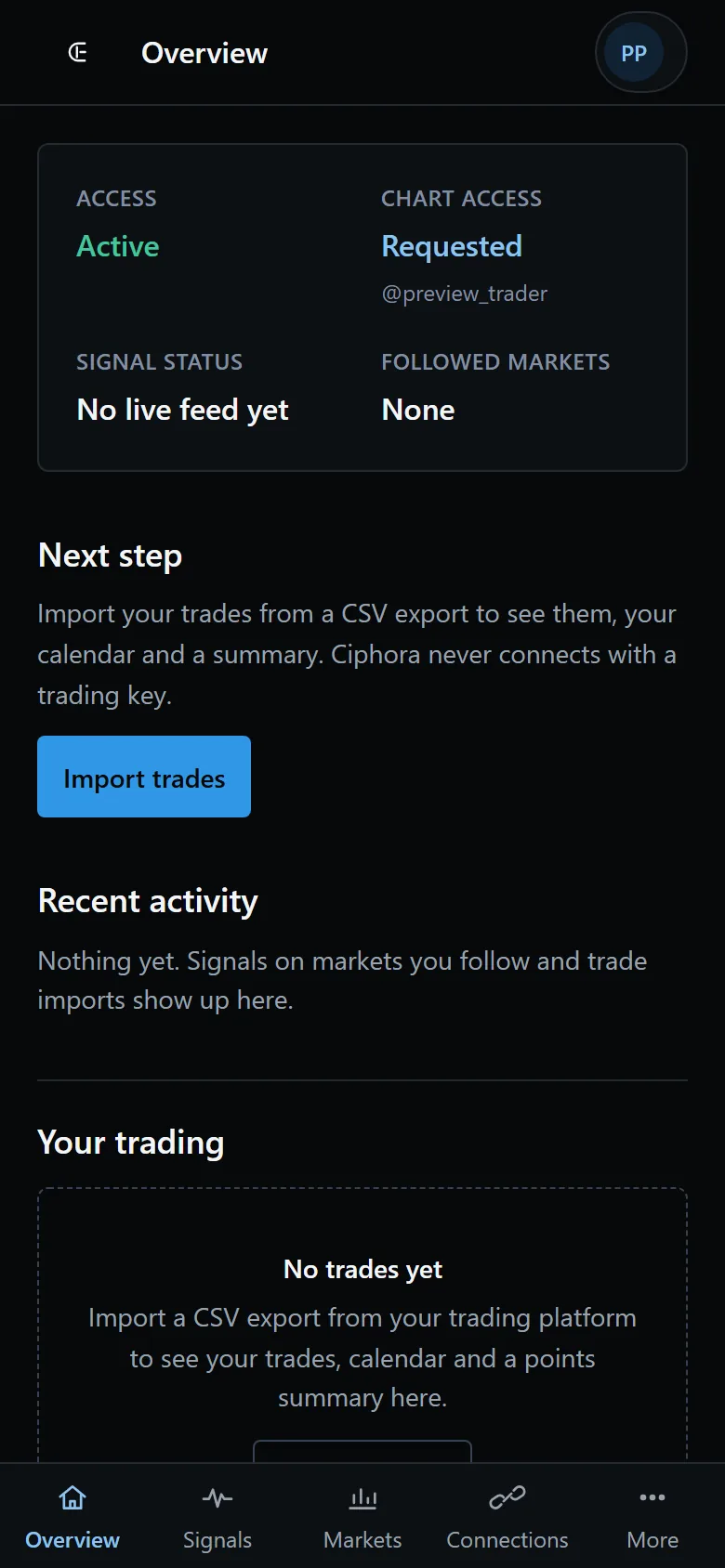
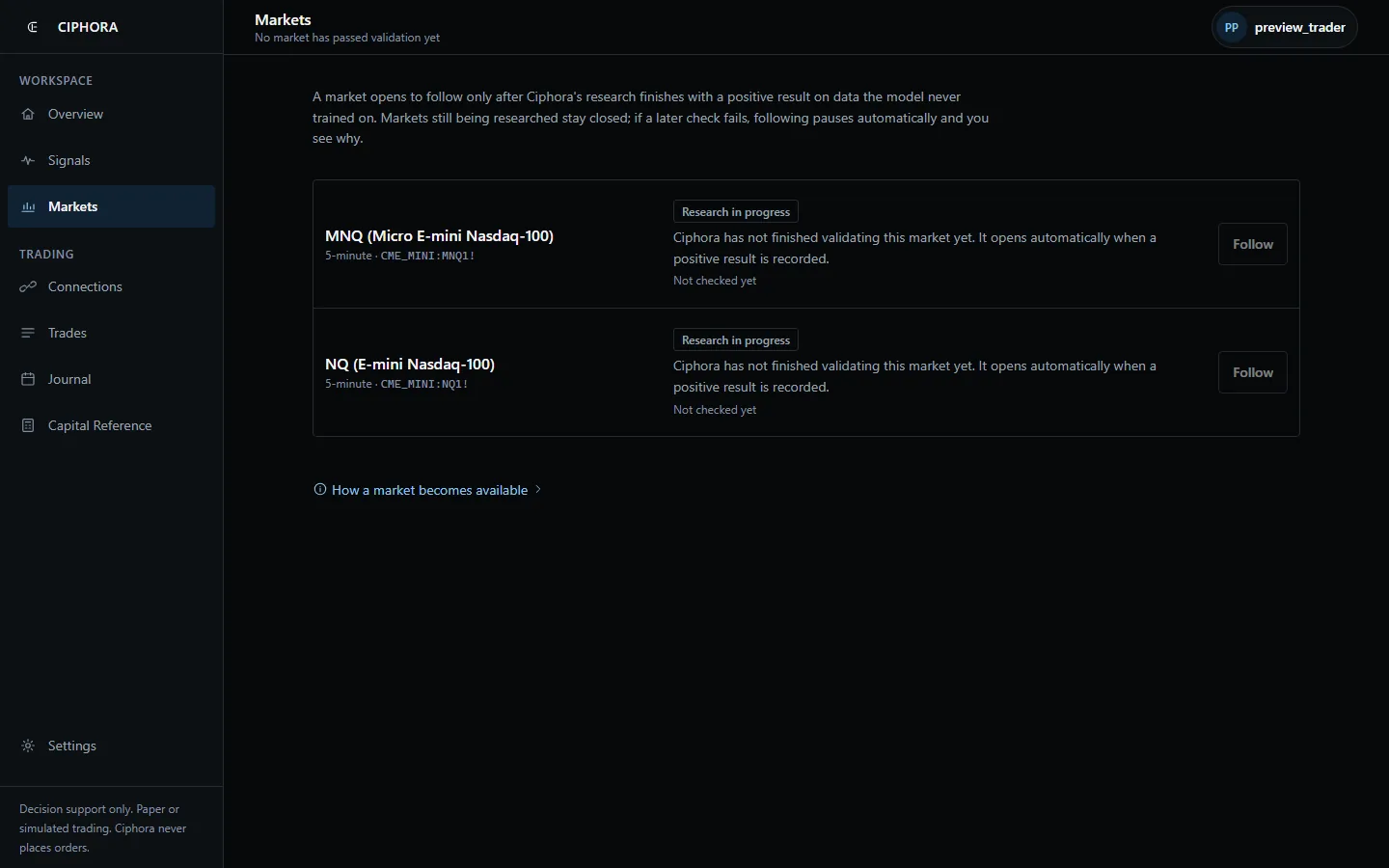
Participants sign in to a quiet workspace: the status of their seat and chart access, the markets research has opened, the signals those markets produce, read-only connections with CSV trade imports, and a contract-size reference. Nothing in it places an order.
Factor agreement
Confidence measures how strongly current market conditions align with the engine's research-defined criteria. It is not a guaranteed outcome or win probability.
Market state
The state panel displays confidence, trend, regime, volatility, VWAP position, relative volume, session, mode, and plan count.
Referenced levels
Each reading displays an entry reference, an invalidation reference, and up to three target references, each with a stated reason and confidence label.
Consistent fields
The same layout keeps context and levels in familiar places as you move between readings.
Explore the current research build. Features may change during testing.
Scoring
The engine brings several market conditions together so you can review them in one place.
Factor families
Trend, momentum, volatility, VWAP, relative volume, structure, session and liquidity context, and regime context feed the score.
Evidence
Visit Research for the current evidence and its limits. Performance claims are withheld pending validation.
Levels
Entry, invalidation, and target references each carry their stated reason and confidence label.
Record
The research views contain records generated during historical product runs. They are not broker-confirmed fills, independently captured alerts, or live performance results.
Boundary
The product does not execute trades or manage accounts. Broker execution is separate from any model simulation.
The engine reports factor agreement and referenced levels. It does not predict outcomes, execute trades, or guarantee profitability. Full limitations appear on the product page.
Current product preview
Try a simplified chart reading and inspect the context, conflicts, and referenced levels behind it.
Explore a simplified chart reading, then inspect the supporting conditions, conflicts, and referenced levels behind it.
Risk Intelligence
See what is being delivered and choose what you follow.
Shadow validation
Signals are being checked. No trade decisions or account recommendations are issued.
Signal feed
Nothing delivered yet.
Signal settings
Choose the approved scopes you want to follow.
Illustrative interface. No live account data.
Explore the chart, switch views, and get to know a reading before applying.
The current beta is delivered through TradingView. Selected applicants receive setup instructions when a cohort opens.